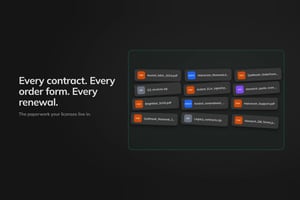
SAVE MILLIONS ON SOFTWARE
Software Asset Management, built as a modular platform
The AI-native SAM platform that provides continuous license optimization, contract intelligence, and audit defense, on the data you already have.

Apps
Modular apps for every
vendor and scenario
Each LICENSEWARE app is a self-contained, browser-based analytics module purpose-built for one SAM or licensing problem. Pick the ones you need, pay only for what you use, and add coverage on demand.
Core
Build your SAM foundation
Everything you need for a strong SAM foundation. Built for IT and procurement teams managing 1,000+ device estates with multi-vendor licensing complexity.
NEO
Your AI licensing assistant for contextual reporting, contract analysis, dynamic compliance tracking, and licensing questions.

LICENSEWARE Collector
Scan and collect software and hardware usage information from your Linux, Windows, macOS, and Docker devices.
Software Inventory Manager
Software recognition, enrichment, and categorization to identify overlap, reduce costs, and manage your software lifecycle.

License and Contracts Manager
Manage your software contracts, licenses, and renewals in one place. Link licenses to deployments and analyze contracts using NEO.

Infrastructure Mapper
Map your full infrastructure with CPU, virtualization, and host-relationship details.

Self Assessment Service
Assess and improve your ITAM maturity against ISO standards using top-tier evaluations and tailored AI-powered reports.
Advanced
Deep analysis for complex vendors
Specialist apps for the vendors that bury you in licensing complexity. Microsoft, Oracle, Red Hat, and Adobe, automated, defensible, audit-ready.

Microsoft Deployment Manager
Automate license requirement analysis of Microsoft deployment data. Data-driven cost optimization for your hybrid organization.

Adobe Deployment Manager
Determine the right number of licenses and optimal Creative Cloud bundling based on deployments and named users.

Red Hat Deployment Manager
Assess and optimize RHEL subscriptions. Insight into subscription usage, with cost savings opportunities surfaced automatically.

Oracle Database Manager
Automate the analysis and determination of Oracle DB usage and license requirements. Identify cost reduction scenarios at a glance.

Oracle Java Deployment Manager
Automate license analysis for Java. Visibility into versions, editions, components installed, and license requirements.

Oracle Middleware Manager
Automate analysis for Middleware usage, bundling, and license requirements. More insight, more control, less compliance risk.
Plans
Pricing that scales
with your estate
Start with one-off analysis, move to a subscription as your needs grow. Pick what you use, pay only for what you need.
PAYG
Pay as you go
From
$1 / device
one-off
- Consumption-based pricing
- Any apps or all apps, on-demand
- Volume discount applicable
Chill
For smaller estates
≤ 1,000 devices
$150
per month
- Contract and license management
- Software inventory analysis
- Instant answers to licensing questions
Core
For larger estates
> 1,000 devices
$3.36 / device
per year
- Everything from the Chill plan
- API connectors for any data source
- Premium support with onboarding
Advanced
For complex estates
> 1,000 devices
Custom
via partner or direct
- Everything from the Core plan
- Advanced analysis for complex vendors
- Extended support by SAM experts
Volume discounts and multi-year terms available — tell us about your estate.
Customer stories
Trusted by IT and procurement teams
From global enterprises renewing Microsoft Enterprise Agreements to consultancies rationalizing software estates, LICENSEWARE customers cut costs, reduce risk, and stay audit-ready.

LICENSEWARE made our Microsoft Enterprise Agreement renewal simple. All of the complex manual work was removed entirely, allowing us to focus on the important assessment of the Microsoft 365 E5 technology stack and the complex commercial discussions, which resulted in a very smooth process and a quality outcome.
Reviews
What our users say
The normalization and baselining features are powerful and the justification for license allocations built into the tool is welcome, particularly when considering the financial risk involved with incorrect license allocation decisions being made.
A great team and an effective and essential solution to help ensure control in the management of software assets and avoid unnecessary risks. With LICENSEWARE, we have achieved savings up to 50% on our operational cost.
Excellent experience with the LICENSEWARE team. The members, the know-how, the platform, and the technology behind it, all combined brings good value to our customers and internally.
We're now saving up to 50% of the time required to finish a large project. This allows us to focus even more on the quality of our deliverables.
Quickly becoming the go-to SAM tool. It's easy to use, very intuitive and the team is quick to respond to any feature updates you require. Their team performs quick and massive updates to their Microsoft tool, and as long as they keep that up they will stay ahead of the pack.
Their culture, projections, and the quality of their people stand out. As a tool, the speed of LICENSEWARE is fascinating.
LICENSEWARE makes it easy to get all our devices from multiple sources in one place, applications, usage, virtualization. The NEO AI assistant is really helpful in analyzing data and providing optimization possibilities.
LICENSEWARE's Oracle Database license analysis stands out, effortlessly handling large volumes of data from various sources including LMS Scripts. The depth and reliability of its analysis is second to none, providing insights we came to trust.
I like working with the internal team of LICENSEWARE, they are very flexible and accommodate their clients' needs.
Partners
Services and technology partners
Empowering partners to deliver innovative ITAM software and service solutions to their customers.










FAQ
Common questions
Quick answers to what most teams ask before getting started.
About
What is LICENSEWARE?
LICENSEWARE is a modular SaaS platform for Software Asset Management. The platform is built as a collection of focused web apps — each one is a browser-based analytics module that automates a specific licensing task, like analyzing Oracle Database deployments, managing Microsoft 365 renewals, or tracking contracts and entitlements. Connect your existing discovery and ITSM tools, pick the apps you need, and pay only for what you analyze. It helps IT, procurement, and compliance teams reduce audit risk and software cost without ripping out the tools they already use.
Platform
How is it different from traditional SAM tools?
No multi-year lock-in and no rigid suites. Pick only the apps you need, plug them into the discovery and ITSM systems already running in your environment, and pay as you go. Most teams get audit-ready results from existing data within days, not months.
Free plan
Can I try it before paying?
Yes. The free plan has no time limit and includes unlimited data uploads and full app functionality, with reports capped at 10 rows per table. NEO, the AI assistant, is fully unrestricted on every plan, including free.
Pricing
How does pricing work?
Three commercial models: free forever, pay-as-you-go billed by volume of data analyzed (devices, databases, or instances depending on the app), or annual subscription with unlimited usage in scope. Volume discounts and partner-friendly terms are available on request.
AI
What is NEO?
NEO is the platform's agentic AI assistant, built specifically for software licensing. It answers questions, reads and summarizes contracts, surfaces optimization recommendations from your data, and helps you operate the platform — all free, regardless of plan.
Data
What data sources are supported?
58+ sources across 24 vendors, including Lansweeper (native API), Microsoft SCCM, Flexera, Snow, ServiceNow, vCenter, BigFix, and MAP Toolkit. Files upload as XLSX, CSV, JSON, XML, or ZIP. If your source isn't on the list, request a new uploader from inside the platform.
Security
Is the platform secure?
SOC 2 Type 2 attested, hosted on Google Cloud, with TLS 1.2+ in transit and Google-managed encryption at rest. Customer data lives in your chosen region (Netherlands, Iowa, or Sydney) and never moves between regions.