Contract Compliance Analysis Is Now Live in LCM

Until now, NEO’s analysis of a software contract reached you as a PDF attached to an email: pages of tables you read once and went looking for again at renewal. That report has moved into the product. Contract compliance analysis now lives in License and Contracts Manager (LCM) as an interactive view, next to the contracts it describes.
The flow starts where it did before. Upload your contracts to LCM and NEO extracts the terms from whatever format they arrive in, PDF, scan or Word file. NEO then analyzes them, and LCM shows the result per vendor. When you need a document, the view still emails the report or downloads it as a PDF.
What you see first
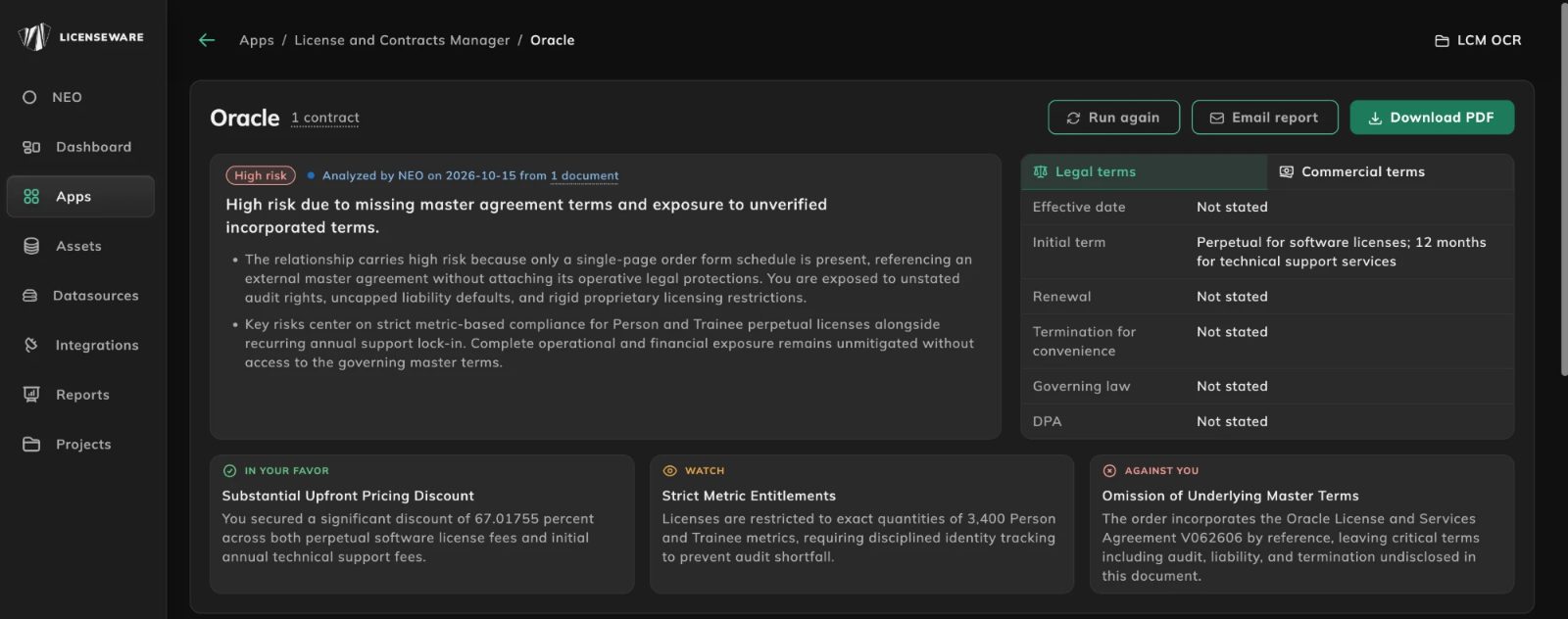
Each vendor opens on an overview. At the top sits an overall risk rating with the date of the analysis and the number of documents it read, and a short summary of why. If an order form points to a master agreement it does not include, the summary says so: the protections that matter live in a document NEO has not seen.
Beside the summary, a panel lists the legal terms at a glance: effective date, initial term, renewal, termination for convenience, governing law and whether a data processing agreement is in place. A second tab covers the commercial terms. Where the document is silent, the panel says “Not stated”: a missing clause is a finding in its own right.
Below that, three cards pick out the headline points: one term in your favor, one to watch and one against you. A discount you secured, a license metric that needs careful tracking, terms incorporated by reference that you have never seen.
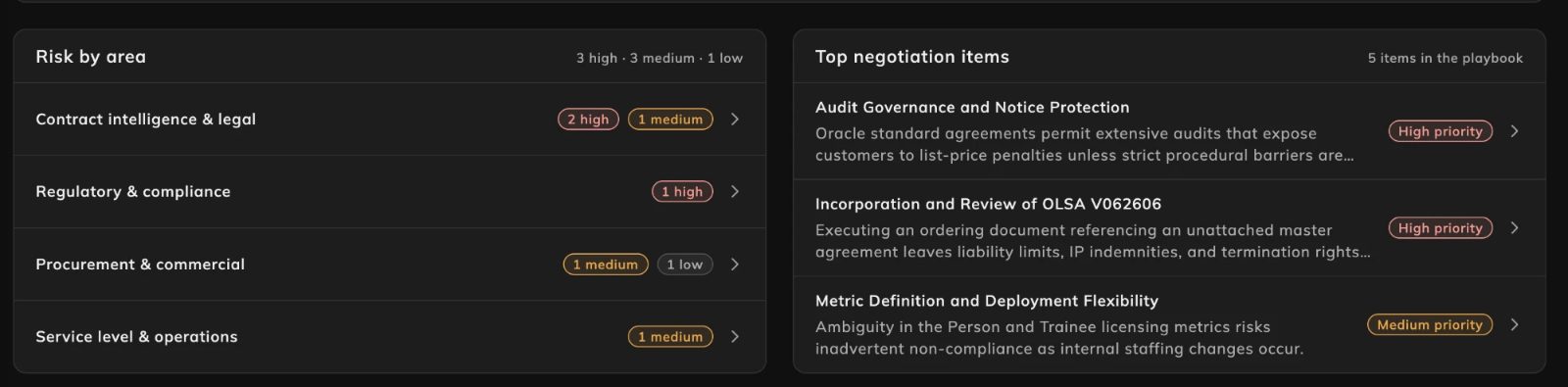
The overview ends with two lists. Risk by area counts the findings in four areas, contract intelligence and legal, regulatory and compliance, procurement and commercial, and service level and operations, split by severity. Top negotiation items shows the highest-priority entries from the playbook. Every row opens the detail behind it.
Findings, with their source
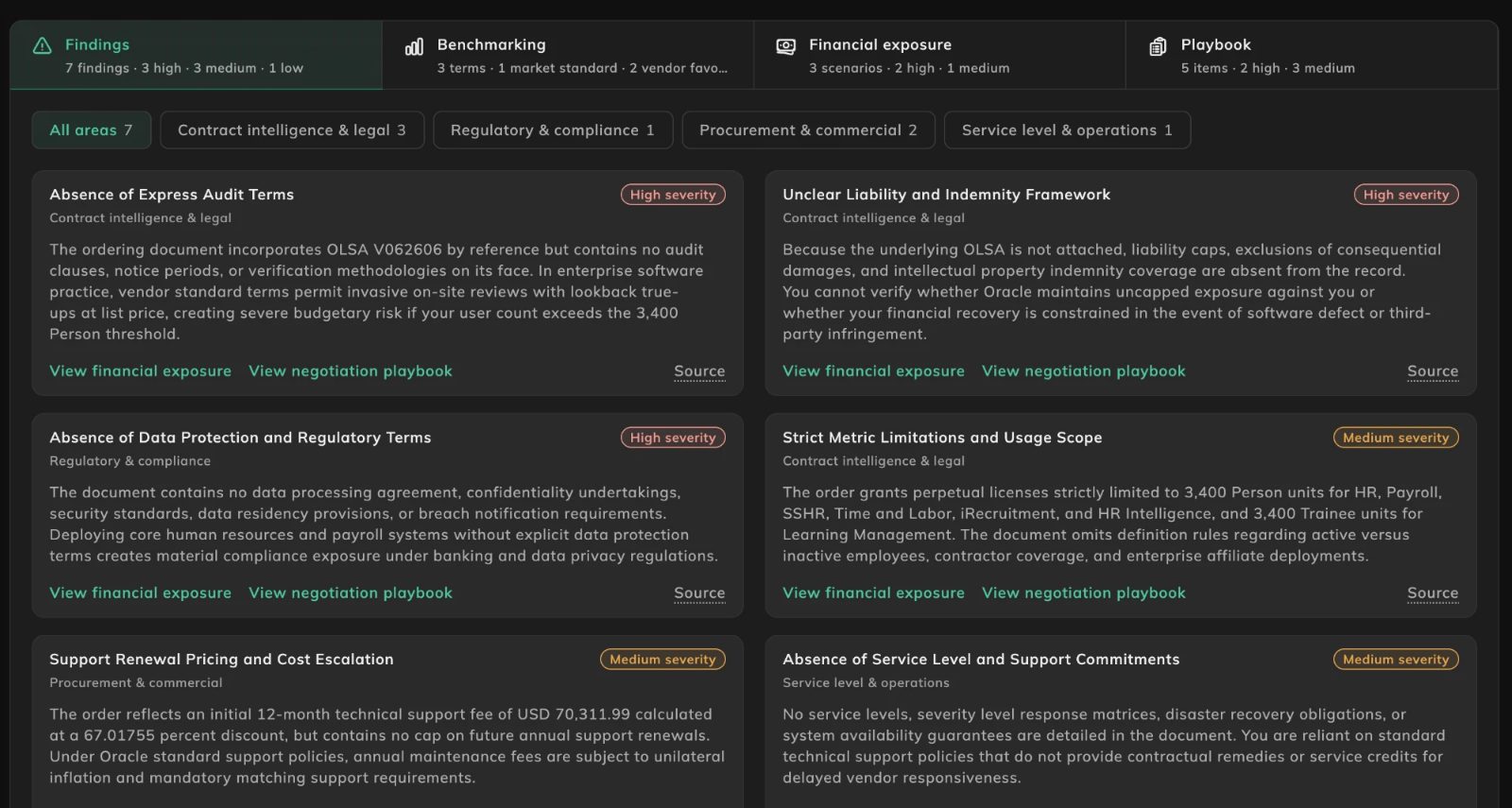
The Findings tab lists everything NEO found, one card per finding, each with its area and a severity of high, medium or low. Filter chips narrow the list to one area. Each explains the issue in plain language: a missing audit clause, a liability framework that cannot be verified, support fees with no cap on future increases.
Each card links three ways: to the financial exposure the finding drives, to the playbook item that addresses it, and to the source text in the contract. You can check NEO’s reading against the clause itself, without hunting for the page.
How your terms compare
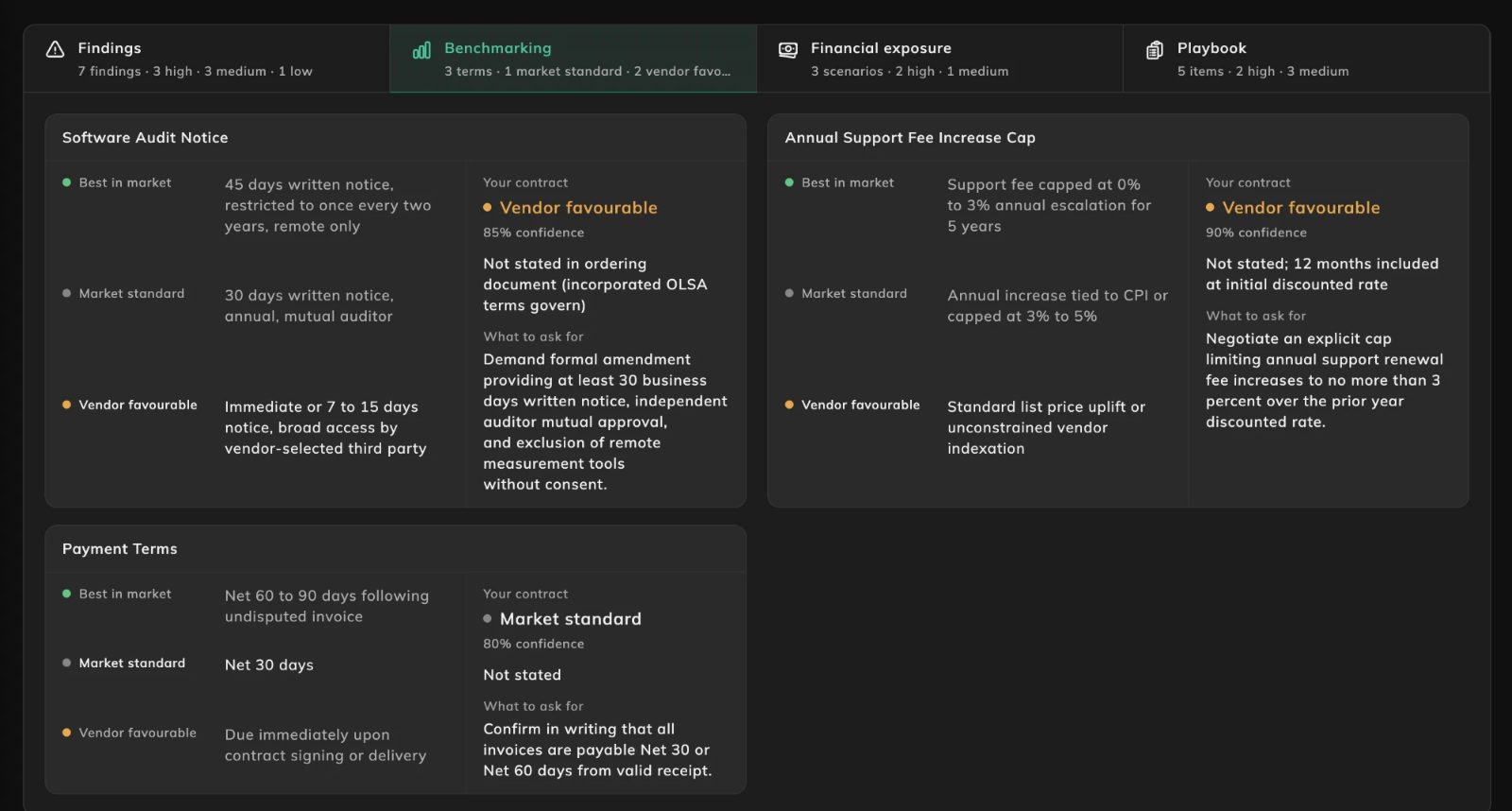
Benchmarking takes the terms that are most often negotiated, such as audit notice, annual support fee increases and payment terms, and sets each one against three reference positions: best in market, market standard and vendor favorable. Your contract is placed on that scale, with a confidence for the placement, a note of what the contract actually says, and a line on what to ask for.
What it could cost
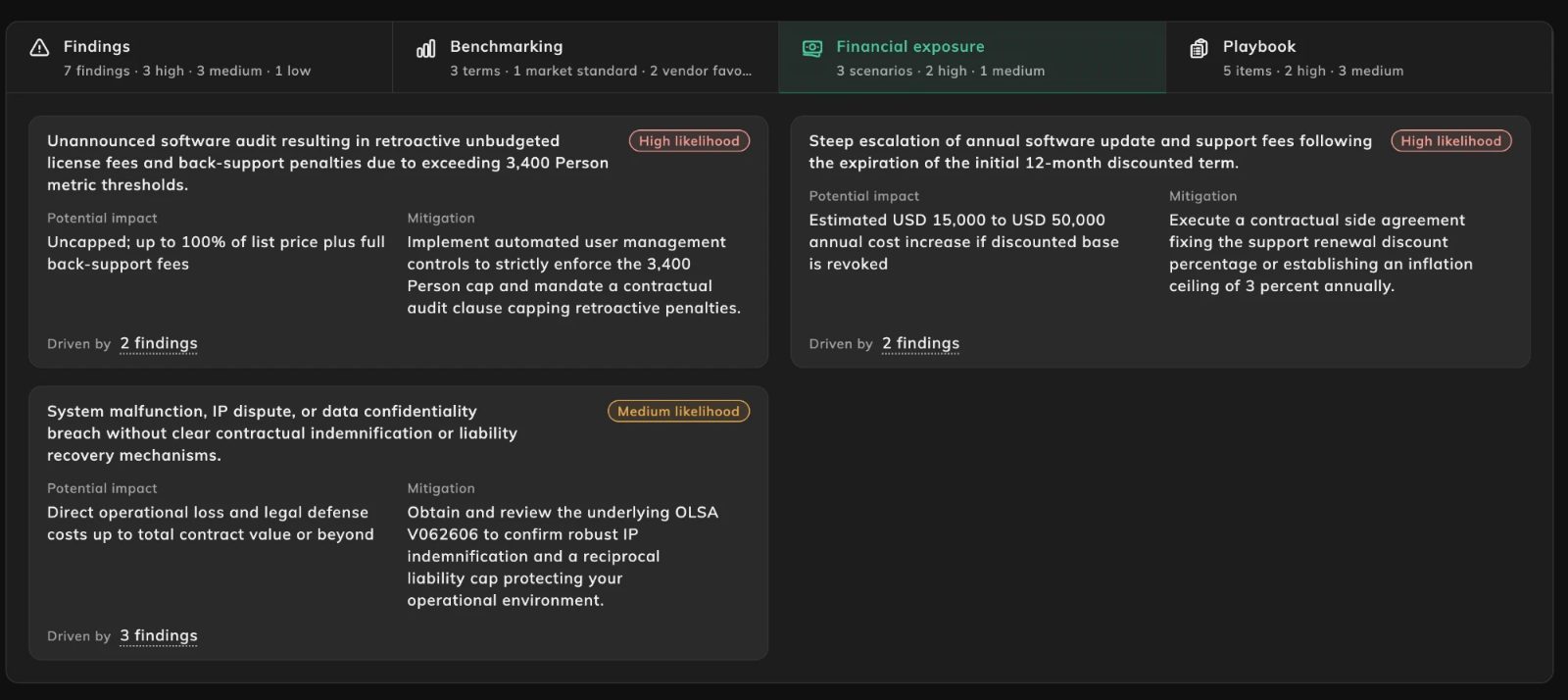
Financial exposure describes the scenarios that would turn a weak clause into a cost: an audit that finds usage above the licensed quantity, support fees rising once an introductory discount ends, an incident with no clear liability or indemnity behind it. Each scenario carries a likelihood, the potential impact, a mitigation, and a link to the findings that drive it.
A playbook for the negotiation
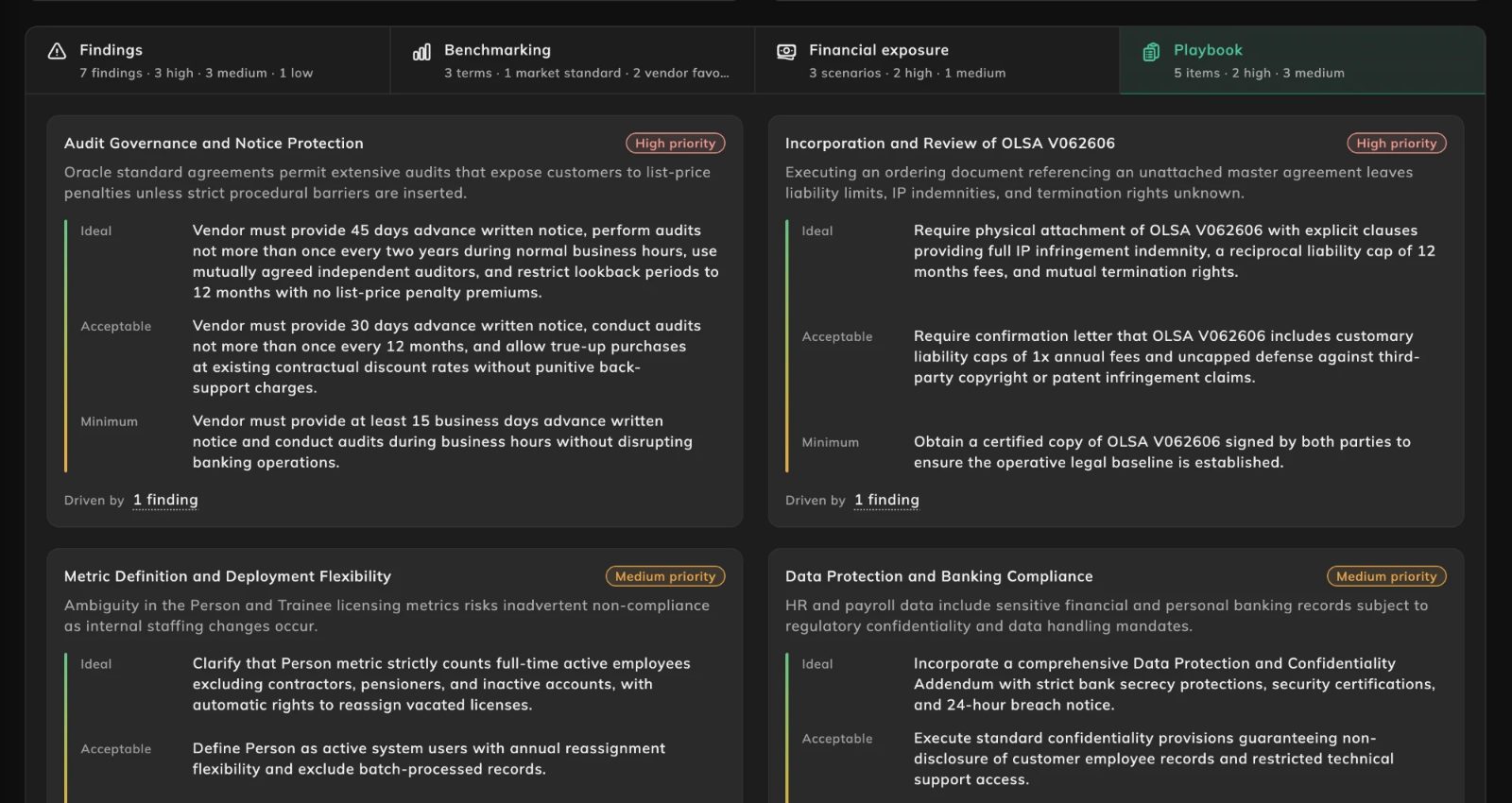
The Playbook tab turns the analysis into an agenda. Items are ranked by priority, each with a short statement of why it matters and three positions to negotiate from: the ideal outcome, an acceptable one and the minimum you should settle for. Like the scenarios, every item shows the findings behind it, so the reasoning travels with the ask.
From PDF to workspace
The emailed report covered much of the same ground. It listed the documents analyzed and their order of precedence, flagged terms that pointed to policies hosted elsewhere, and showed summary tiles for risk profile, financial exposure, commitment, exit, jurisdiction and compliance. An executive summary followed, then a benchmarking table, risk tables for the same four areas, the customer rights and entitlements in the contract, a financial exposure table and a negotiation playbook with fallback positions.
What changes is how you work with it. The analysis is no longer a snapshot frozen on the day it was sent: it sits with the vendor’s contracts in LCM, and Run again runs the analysis again, for instance once new documents are in. Instead of reading a table and searching the contract for a clause reference, you move from a finding to its exposure, its playbook item and its source text in a click, and from an area of risk to the findings in it.
The document has not gone away. Email report and Download PDF are on the same screen, for anyone who needs a file.
Getting started
Contract compliance analysis is available in License and Contracts Manager now. Upload your contracts to LCM, let NEO extract and analyze them, and open the vendor to see where you stand. It builds on NEO Contract Analysis and the OCR extraction that feeds it. If you would like to see it on your own contracts, book a call with our team.