Roles, SaaS and AI Reports, and New Integrations in LICENSEWARE

Three things shipped on the LICENSEWARE platform this week. LICENSEWARE now has roles: owner, editor and viewer. Software Inventory Manager (SIM) has two new reports, AI Usage and SaaS Seats, that show what you pay for and what goes unused. And new API connectors feed them from AI platforms, identity providers and the Adobe Admin Console.
Each one has its entry on the releases page: role-based access control, the SIM reports and the Adobe Admin Console connector. This post walks through them with screenshots. The figures in the screenshots come from a demo project, not from a real customer.
Owner, editor and viewer roles
Access to LICENSEWARE is now controlled by role-based access control (RBAC). There are three roles. The owner manages the account, editors work on the data, and viewers read the results. The header shows your role next to the project name, “Editor” in every screenshot in this post.
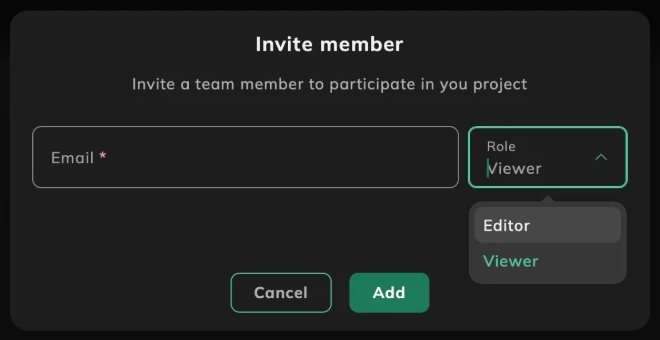
To bring a colleague in, invite them by email and pick Editor or Viewer. A finance or audit stakeholder who only needs to read the reports can be a viewer; the people who maintain the data can be editors.
AI Usage: spend, tokens and seats per tool
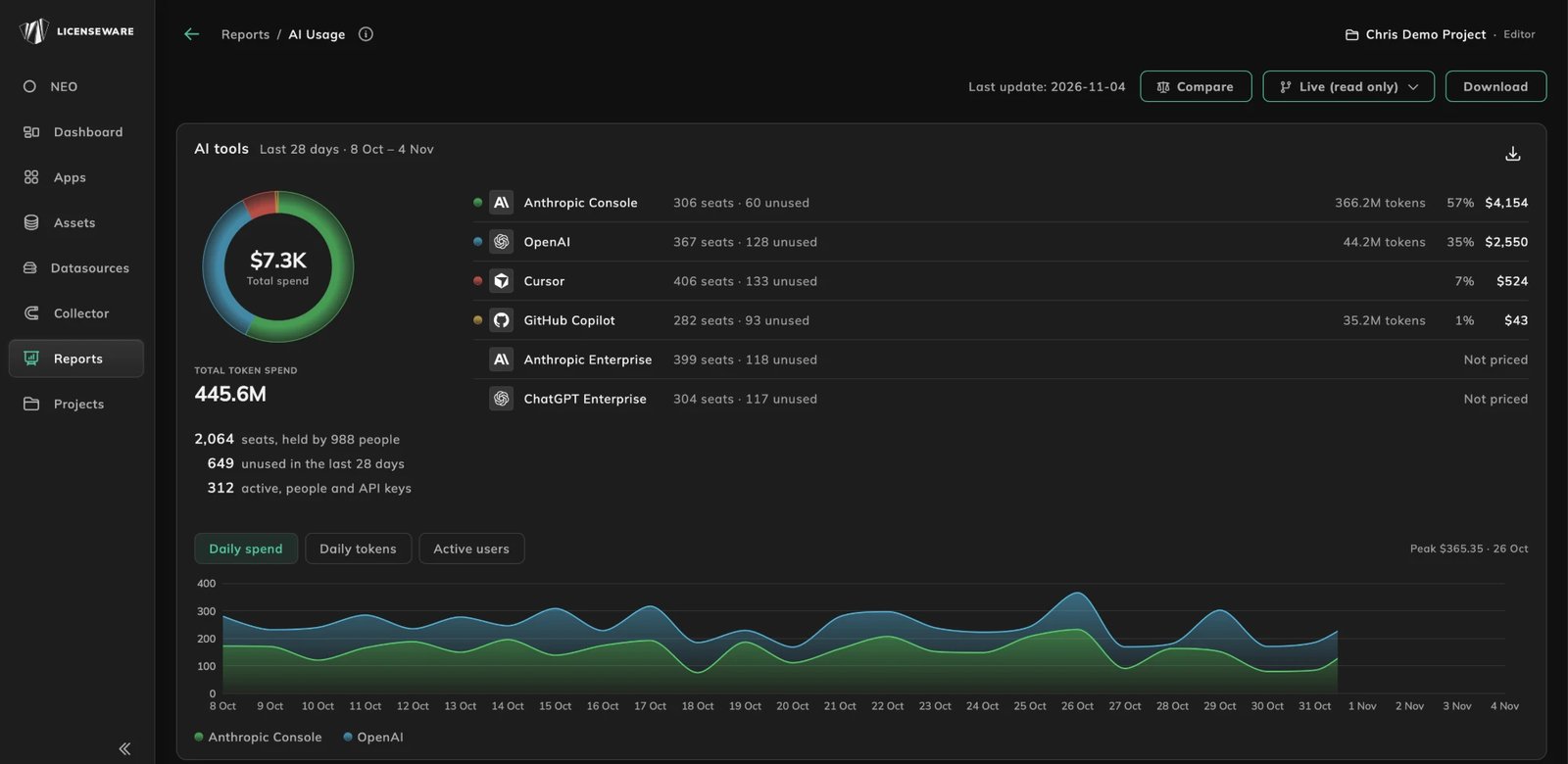
The AI Usage report in SIM brings the AI tools your company pays for into one view. It opens on a panel for a period, the last 28 days in the demo, with total spend and each tool’s share of it. Anthropic Console, OpenAI, Cursor and GitHub Copilot are priced. Anthropic Enterprise and ChatGPT Enterprise are seat-only and read “Not priced” until you add a price.
Beside each tool you see its seats and how many are unused, and the total tokens across the tools. A summary under the chart sets seats held against people: in the demo project, 2,064 seats are held by 988 people, and 649 of those seats were unused in the last 28 days. Daily spend, daily tokens and active users are three charts over the same period.
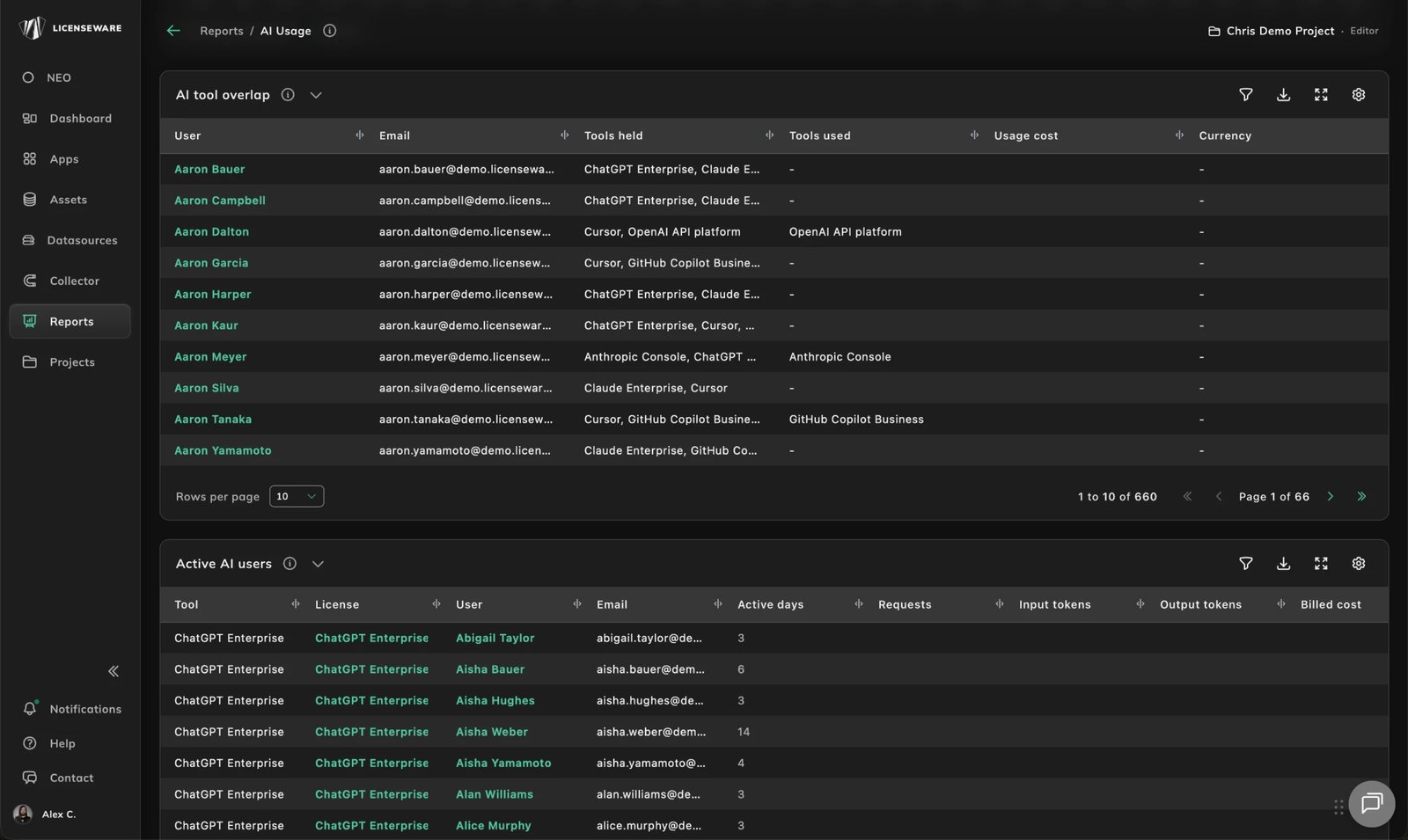
Below the panel, the report answers the questions behind the totals. AI tool overlap lists each person with the tools they hold and the tools they actually used, which is the duplicate-subscription question: who pays for three assistants and uses one. Active AI users shows active days, requests, input and output tokens and billed cost per person.
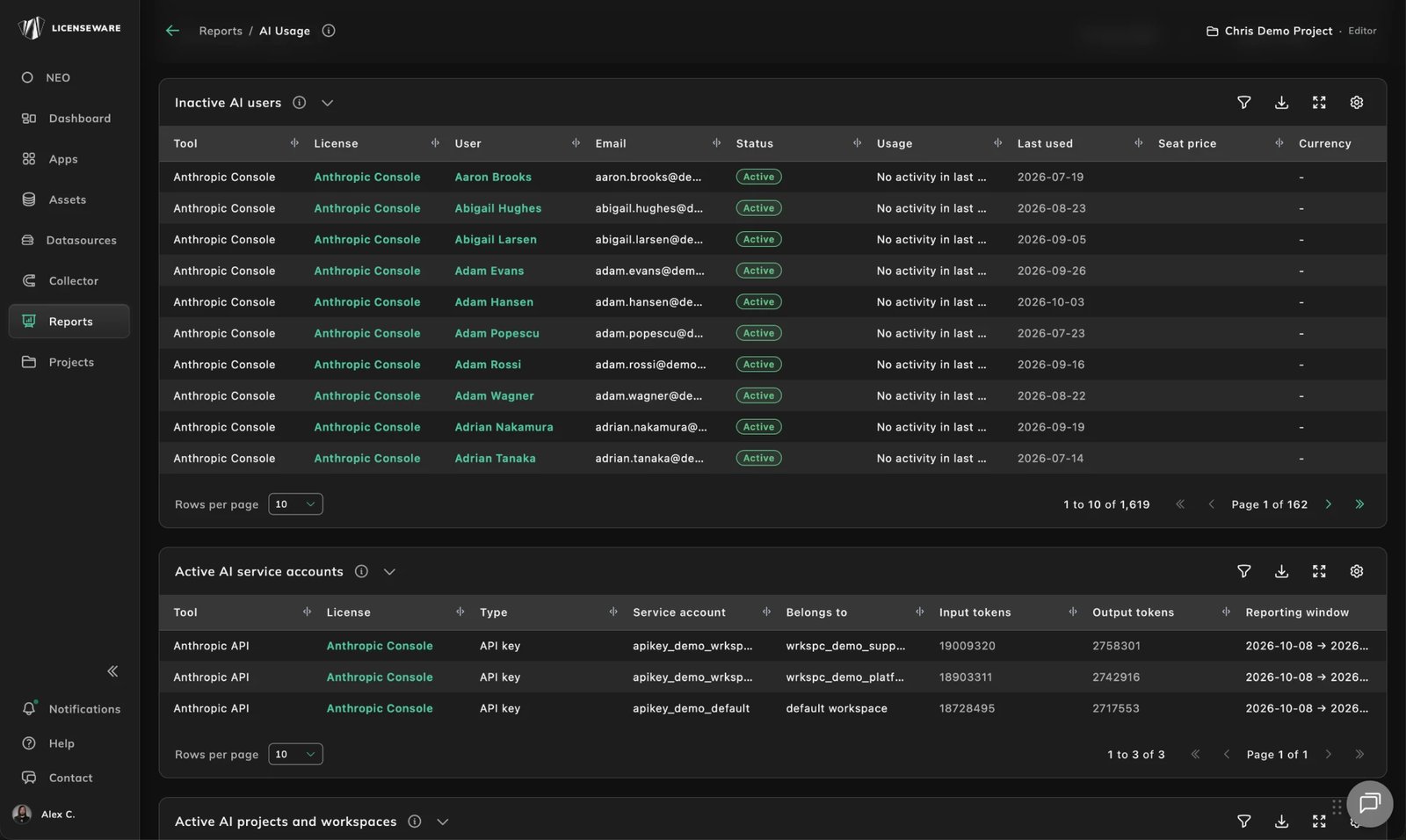
Inactive AI users is the reclaim list: the last time each person used a tool and the price of the seat. Two more tables cover usage that belongs to no person. Active AI service accounts lists API keys, the workspace each belongs to and the tokens used in the reporting window, and AI projects and workspaces does the same for projects. For the cost model behind these reports, see AI cost management and the earlier post on SIM for SaaS and AI spend.
SaaS Seats: what you pay for and nobody uses
The SaaS Seats report applies the same question to the rest of your SaaS estate. Its top panel shows the share of seats that are inactive and what they cost: in the demo project, 35% of seats are inactive, $54,677.67 of $157,438 in total spend. It also counts the seats that were never assigned, 99 in the demo.
Saving opportunities are ranked by app. In the demo they are Salesforce, Claude Enterprise, ChatGPT Enterprise, Cursor and Slack, each with the share of its seats that go without frequent use and the amount at stake. The report states its limits instead of hiding them. Seats with no usage data are counted apart, because frequent use cannot be told for them, and licenses with no price are left out of the spend.
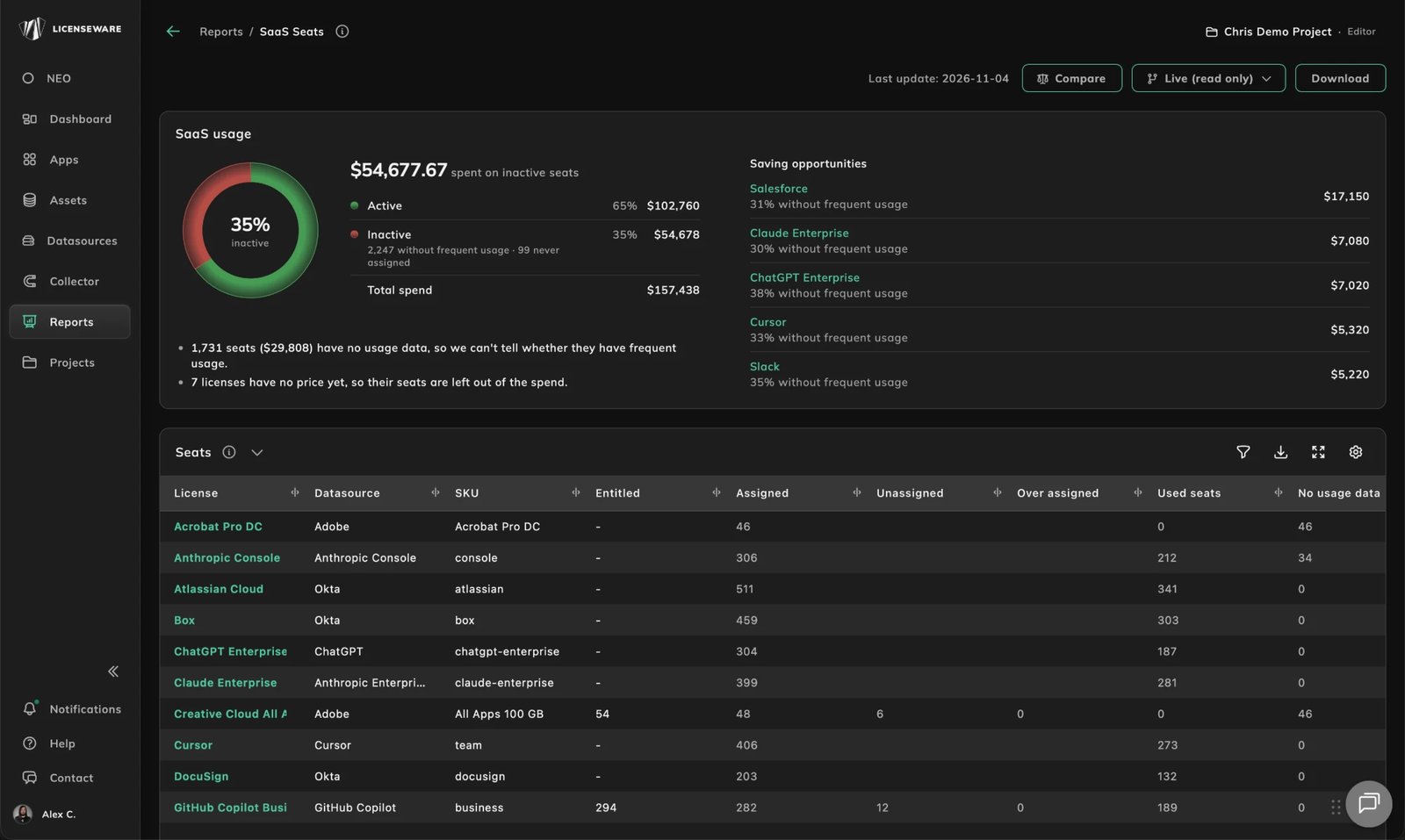
Under the panel, the Seats table shows each license with the seats entitled, assigned, unassigned, over-assigned and used, and the seats with no usage data. Unused Seats lists the person, the last activity, when the seat last changed and its price, so each row is a seat you can ask about. Seat Holders shows who holds each seat, whether the holder is a member, whether the seat was assigned directly or by a group, and the seat state.
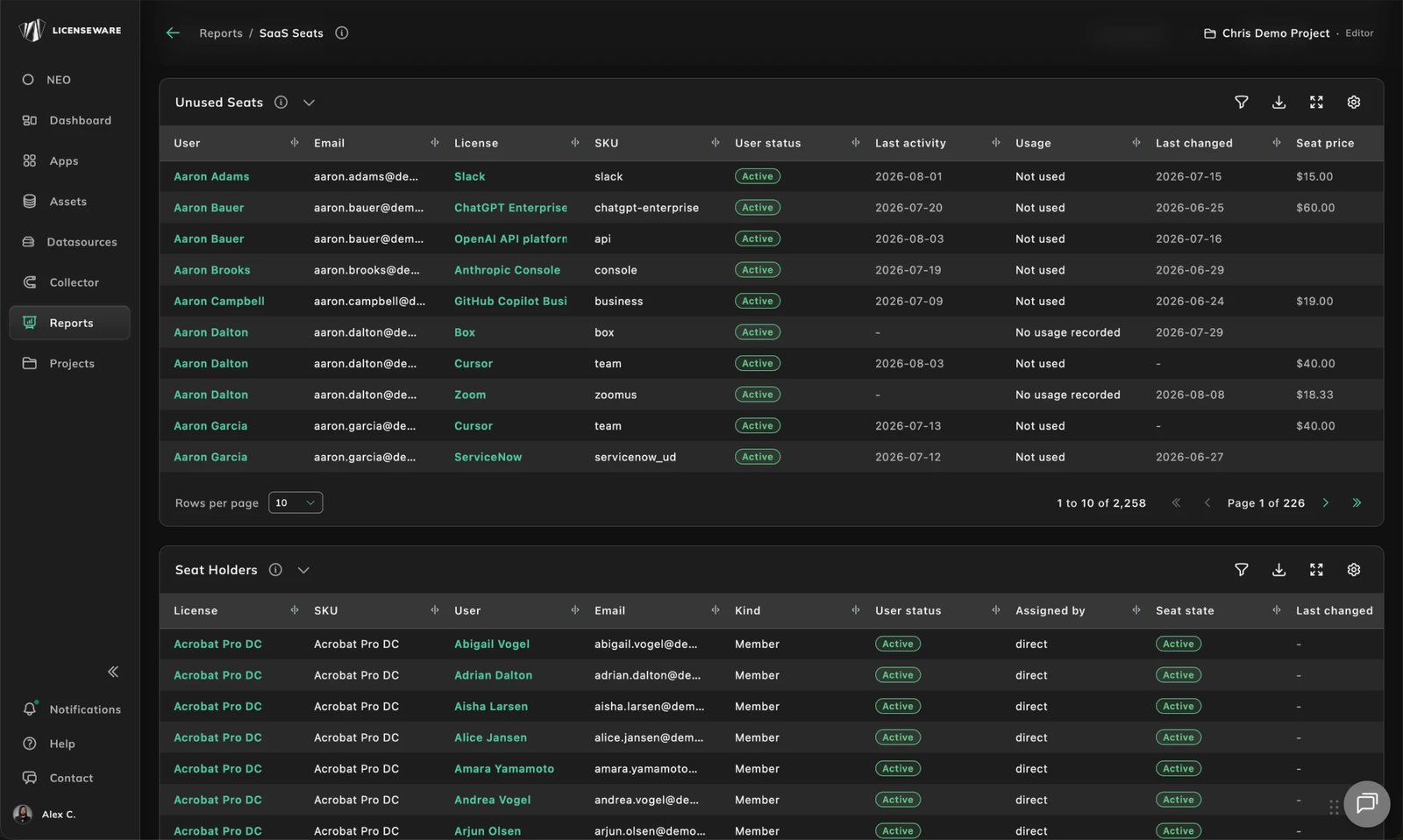
The report builds on the SaaS discovery described in SaaS management: SSO connectors show who has access, and the usage and price data show what the access is worth.
New API connectors
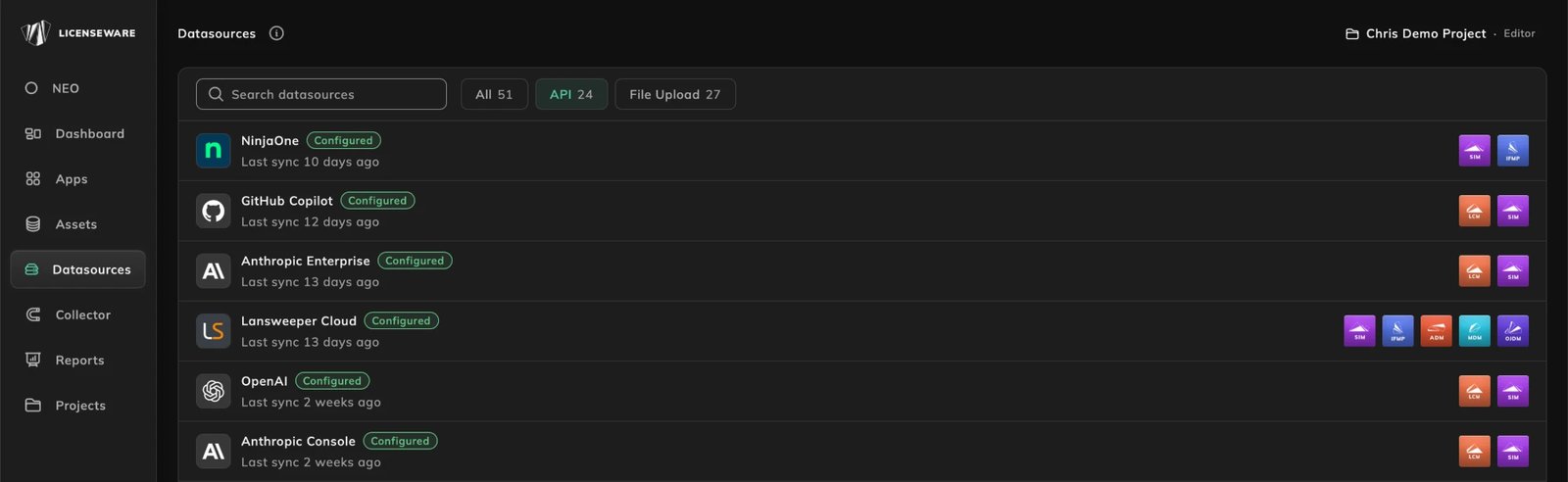
The data sources page lists every source with its last sync and the apps it feeds, so you can see at a glance what is connected and how fresh it is. The new connectors come in three groups.
- AI platforms, by API: Anthropic Console, Anthropic Enterprise, OpenAI, ChatGPT Enterprise, Cursor, GitHub Copilot, Google Gemini and Microsoft 365 Copilot, feeding
- SSO connectors for SaaS discovery: Microsoft Entra ID, Google Workspace and Okta.
- Google Workspace sign-in: Google Workspace now connects through an OAuth 2.0 sign-in: a Workspace administrator approves the access instead of setting up domain-wide delegation for a service account.
- Adobe Admin Console, by API: Adobe Deployment Manager (ADM) now reads it directly.
Included in Core
All of this is included in the Core plan, with no separate price. If you would like a walkthrough on your own data, talk to us.